
Finding a powerful budget laptop for remote work shouldn’t feel like gambling, yet for most people in the UK, it still does. The shift to hybrid and fully remote roles has pushed laptops from being “nice to have” tools into becoming the centre of our working lives. But if you’ve ever spent a day on Zoom with a lagging machine, heard your fans roar during a spreadsheet, or watched a cheap hinge loosen after six months, you already know the truth: not every laptop is built for the realities of daily remote work.
The UK market is even trickier. Prices fluctuate constantly, retailers push eye-catching specs that don’t always translate into reliability, and many laptops that look powerful on paper struggle the moment you open 20 Chrome tabs, Teams, Slack, and a couple of documents at the same time. And while “budget laptops” appear in thousands of Google results, very few guides focus on what remote workers actually need: long-term reliability, solid thermals, quiet performance, a good webcam, a dependable keyboard, and enough RAM to keep your workflow smooth from morning to late evening.
That’s the problem most buyers face today, not lack of choice, but lack of honesty. The internet is full of lists recommending Acer models that reviewers test for 48 hours but remote workers use for 48 months. It’s filled with laptops that score well in synthetic benchmarks but age badly in real-world office conditions. What people in the UK truly need is a machine that will survive daily Teams calls, handle heavy multitasking, type comfortably for hours, and hold up physically after being opened and closed thousands of times.
That’s why this comparison focuses not just on performance, but on reliability. Not just on specs, but on real user experiences drawn from UK buyers, long-term reviewers, Reddit communities, and people who genuinely live inside their laptops every day.
In this guide, we’re looking at powerful budget laptops that won’t fall apart—machines that combine performance, stamina, and durability without jumping into the £1,500 price bracket. We’ll compare them side-by-side, break down strengths and weaknesses, and help you understand which laptop is the right fit for your workflow—whether you’re managing clients, building presentations, coding, editing documents, or juggling endless browser tabs.
The goal isn’t to overwhelm you with 20 choices.
It’s to help you pick one laptop you can trust with your work and your peace of mind.
Side-by-Side: Best Powerful & Reliable Budget Laptops for Remote Work (UK – 2025)
| Category | Lenovo ThinkPad T14 (Gen 2/3) | HP EliteBook 840 (G5–G7) | Dell Latitude 5420 / 7420 | ASUS VivoBook 15 / 16 (New) | Dell Inspiron 14 / 15 (New) | HP Pavilion 14 (New) | HP Chromebook Plus 15.6 | Acer Chromebook Plus 514 |
| Typical UK Price | £500–£700 | £480–£650 | £520–£700 | £600–£700 | £600–£700 | £550–£700 | £400–£550 | £380–£520 |
| CPU Options | Intel i5 / Ryzen 5 (Pro) | Intel i5 / i7 | Intel i5 / i7 | Ryzen 5 / Intel i5 | Intel i5 | Intel i5 | Intel i3 / i5 | Intel i3 / i5 |
| RAM (Recommended) | 16GB | 16GB | 16GB | 16GB | 16GB | 16GB | 8–16GB | 8–16GB |
| Storage | 512GB SSD | 512GB SSD | 512GB SSD | 512GB SSD | 512GB SSD | 512GB SSD | 256–512GB | 256–512GB |
| Display | 14″ FHD IPS (anti-glare) | 14″ FHD IPS | 14″ FHD IPS | 15.6″ / 16″ FHD | 14″ / 15.6″ FHD | 14″ FHD | 15.6″ FHD | 14″ FHD |
| Keyboard Quality | Excellent (best-in-class) | Excellent | Very good | Good | Good | Good | Good | Good |
| Webcam & Mic | Good (business-grade) | Very good | Very good | Average | Average | Average | Good (1080p on Plus models) | Good (1080p on Plus models) |
| Battery (Real-World) | 7–9 hrs | 8–10 hrs | 8–10 hrs | 7–9 hrs | 7–9 hrs | 6–8 hrs | 10–12 hrs | 10–12 hrs |
| Thermals / Noise | Excellent, quiet | Excellent | Excellent | Good | Good | Average | Excellent | Excellent |
| Build Quality | Outstanding (military-grade) | Premium aluminium | Very strong | Good consumer-grade | Good consumer-grade | Average consumer | Solid plastic | Solid plastic |
| OS | Windows 11 Pro | Windows 11 Pro | Windows 11 Pro | Windows 11 Home | Windows 11 Home | Windows 11 Home | ChromeOS | ChromeOS |
| Reliability (Long-Term) | ⭐⭐⭐⭐⭐ | ⭐⭐⭐⭐⭐ | ⭐⭐⭐⭐⭐ | ⭐⭐⭐⭐ | ⭐⭐⭐⭐ | ⭐⭐⭐ | ⭐⭐⭐⭐ | ⭐⭐⭐ |
| Best For | Heavy remote work, typing, longevity | Professionals, daily Teams/Zoom | Multitaskers, long workdays | New-only buyers, balanced use | Home + hybrid workers | Budget-conscious new buyers | Browser-based remote work | Cloud-only workflows |
Lenovo ThinkPad T14 (Gen 2 / Gen 3)
Best overall choice for serious remote work reliability in the UK
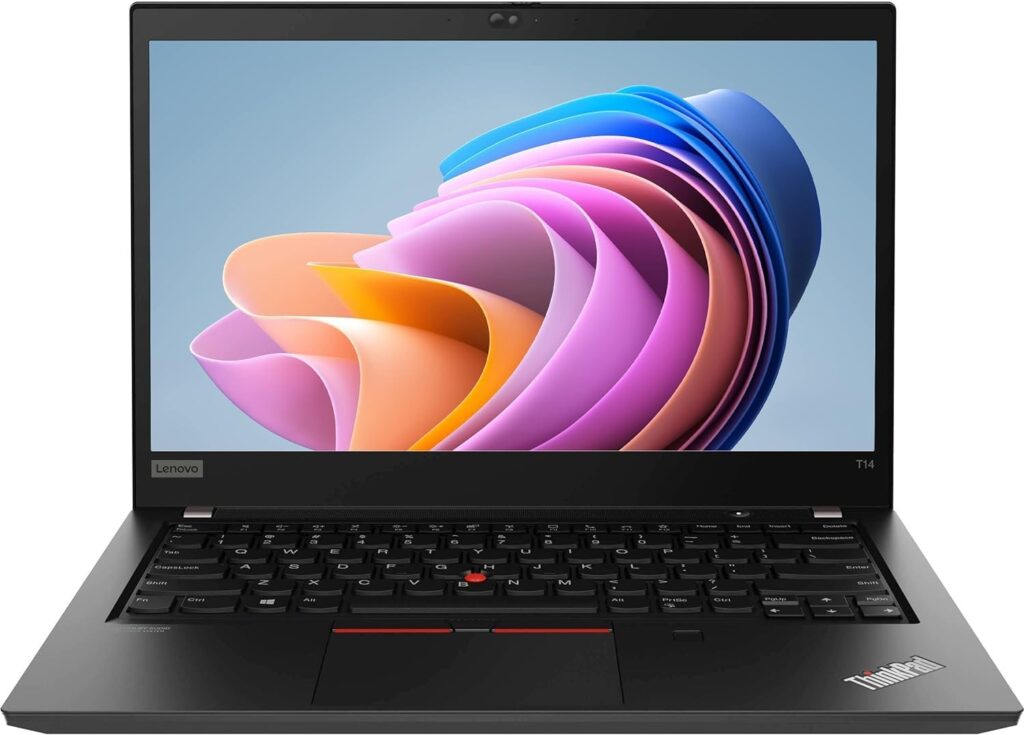
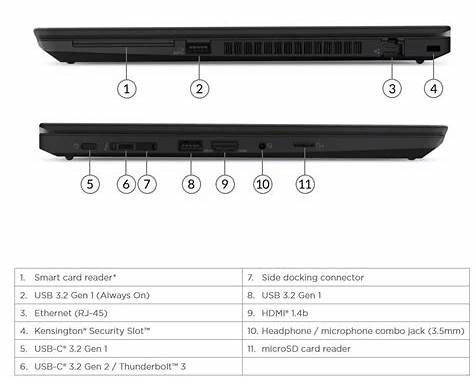
If remote work is your primary income source, the ThinkPad T14 isn’t just a laptop, it’s insurance. This is the machine UK professionals, developers, analysts, and long-term remote workers consistently recommend when reliability matters more than aesthetics or hype. It’s built for corporate environments where laptops are expected to run eight to ten hours a day, every day, for years, and that design philosophy shows immediately.
The keyboard alone sets it apart. Long typing sessions feel effortless, with deep key travel and excellent tactile feedback. People who write, code, or live in documents often describe ThinkPads as “the only laptop that doesn’t fatigue my hands.” For remote work, this matters more than raw benchmark scores.
Performance-wise, a refurbished T14 with an Intel Core i5 or AMD Ryzen 5 (Pro) and 16GB RAM handles real-world multitasking with ease. Video calls, Slack, dozens of Chrome tabs, spreadsheets, and background syncs all run smoothly without the stutters common on cheaper consumer laptops. Thermals are another quiet strength, fans stay subdued, and the chassis doesn’t heat up aggressively during long meetings.
The webcam and microphones, while not flashy, are reliable and consistent — exactly what you want for daily Teams or Zoom calls. Battery life typically lands in the 7–9 hour real-world range, which comfortably covers a full workday with sensible usage.
Where the ThinkPad truly wins is longevity. These machines are engineered to survive years of daily opening, closing, commuting, and docking. Hinges stay firm, ports don’t loosen quickly, and replacement parts are widely available in the UK, something almost no consumer laptop can claim.
Trade-offs?
It’s not the thinnest or prettiest laptop, and you won’t get OLED screens or flashy designs. But that’s the point. This is a tool, not a fashion accessory.
Best for:
Remote professionals, heavy typists, multitaskers, anyone who wants a laptop that still works perfectly in four or five years — not just the first six months.
HP EliteBook 840 (G5 / G6 / G7)
Best premium-feel business laptop on a budget for remote work
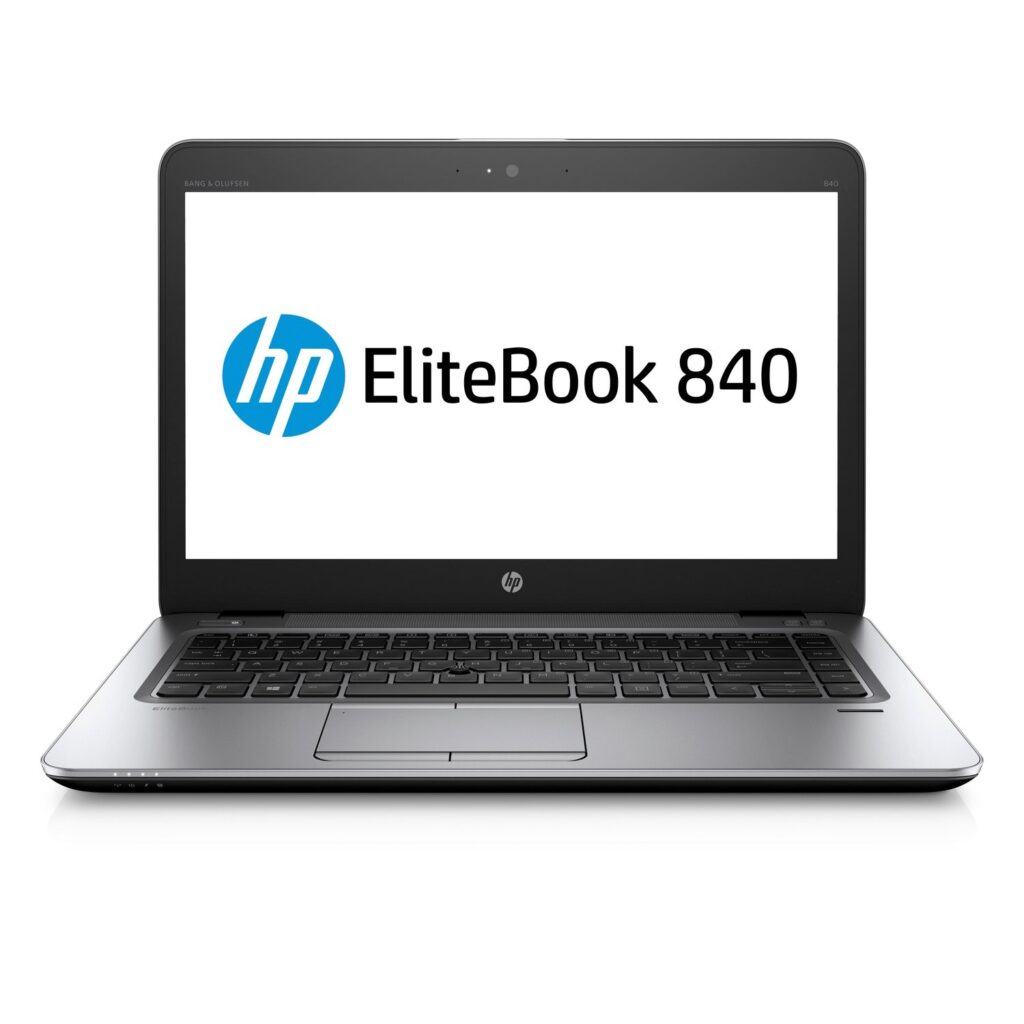
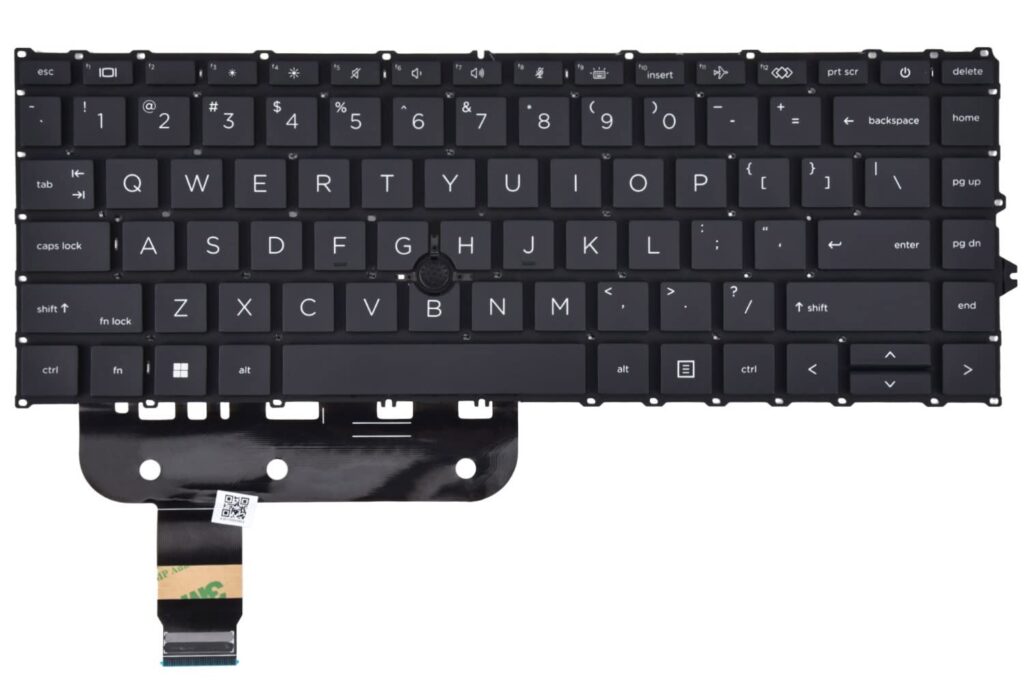
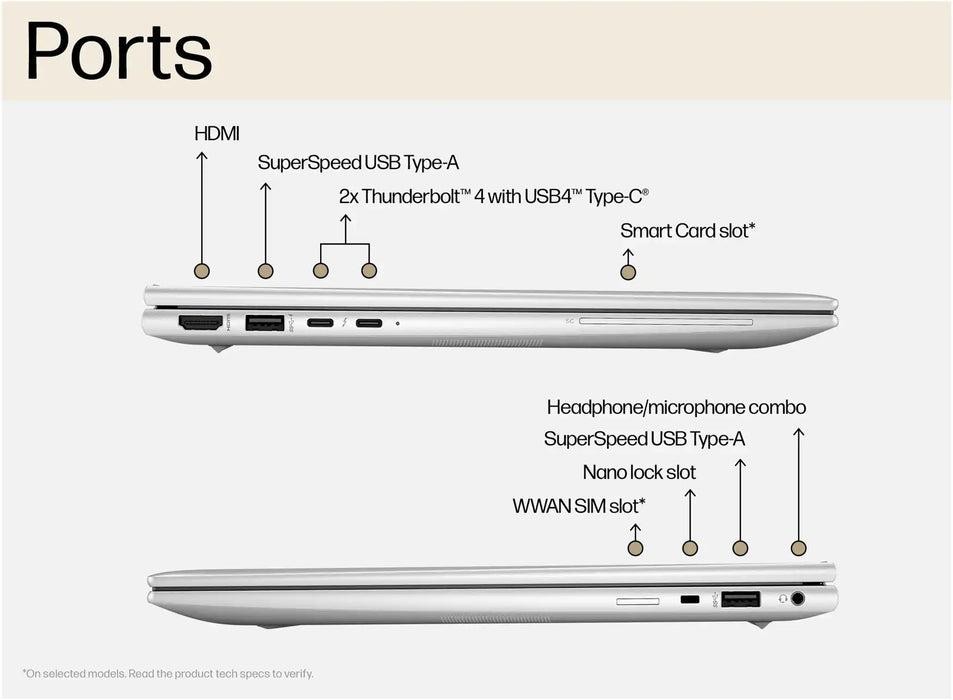
If the ThinkPad T14 is the rugged workhorse, the HP EliteBook 840 is its more refined counterpart. It’s built for professionals who want business-grade reliability but also appreciate a lighter, more premium feel. In the UK refurb market, EliteBook 840 models (especially G6 and G7) consistently stand out as some of the best-value laptops for serious remote work.
The first thing most users notice is the build quality. The aluminium chassis feels solid without being bulky, and it holds up extremely well over time. Hinges remain tight, the lid resists flex, and the laptop survives daily opening, closing, and desk-to-sofa movement far better than typical consumer models. For remote workers who don’t sit in one place all day, that durability matters.
The keyboard is excellent, not quite as legendary as a ThinkPad, but still among the best in this price range. Long typing sessions feel comfortable and accurate, making it a strong option for writing-heavy or admin-focused roles. The trackpad is responsive and reliable, which helps if you often work without an external mouse.
In real-world performance, an EliteBook 840 with an Intel Core i5 and 16GB RAM handles remote work effortlessly. Teams or Zoom calls, screen sharing, large documents, and heavy browser multitasking all run smoothly. Thermals are well-managed too; the fan noise stays controlled, even during long video meetings.
Where the EliteBook really shines for remote work is webcam and audio quality. Compared to many budget laptops, video calls look clearer and sound more consistent—something frequent meeting-heavy roles will appreciate immediately.
Battery life typically lands around 8–10 hours with mixed office use, which comfortably covers a standard UK workday.
Trade-offs?
Graphics performance is basic, and you’re not getting cutting-edge design flair. But for reliability and comfort, those are fair compromises.
Best for:
Professionals who want business-grade durability with a cleaner, more premium feel—especially those on frequent calls or typing-heavy workloads.
Dell Latitude 5420 / 7420
Best quiet, dependable multitasker for long remote workdays
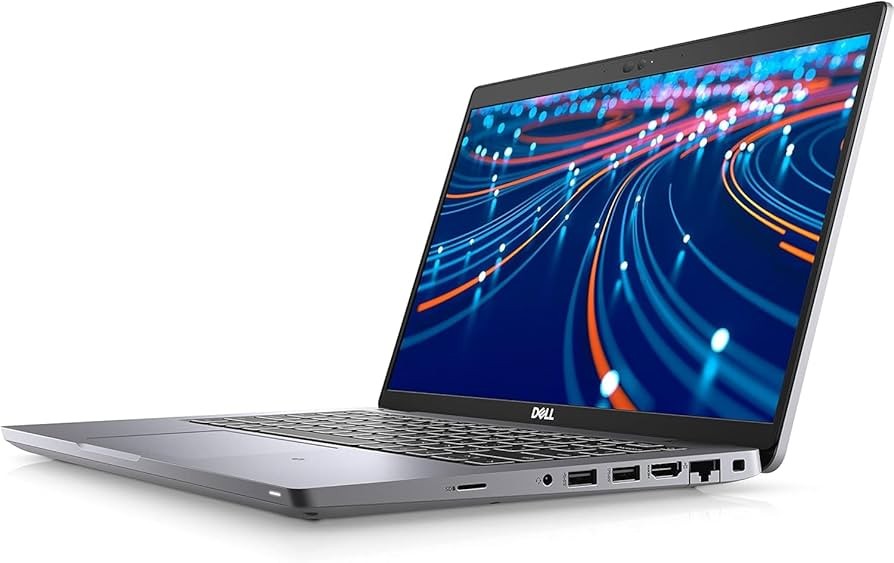
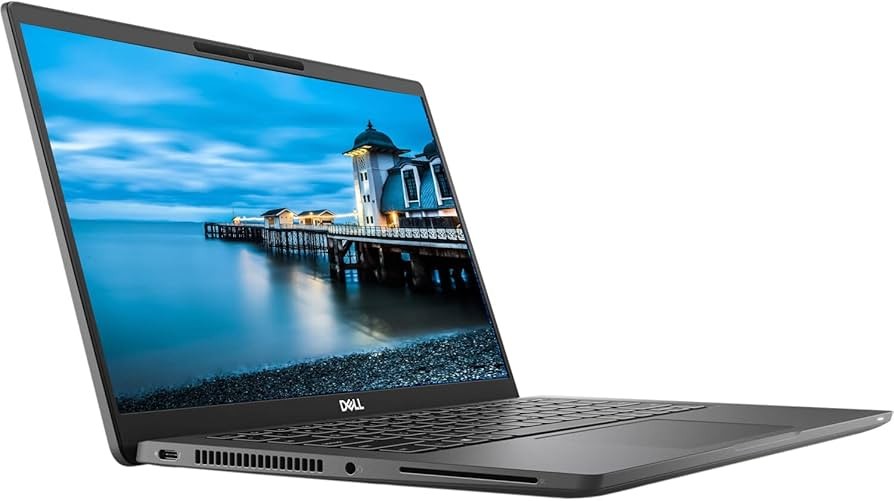
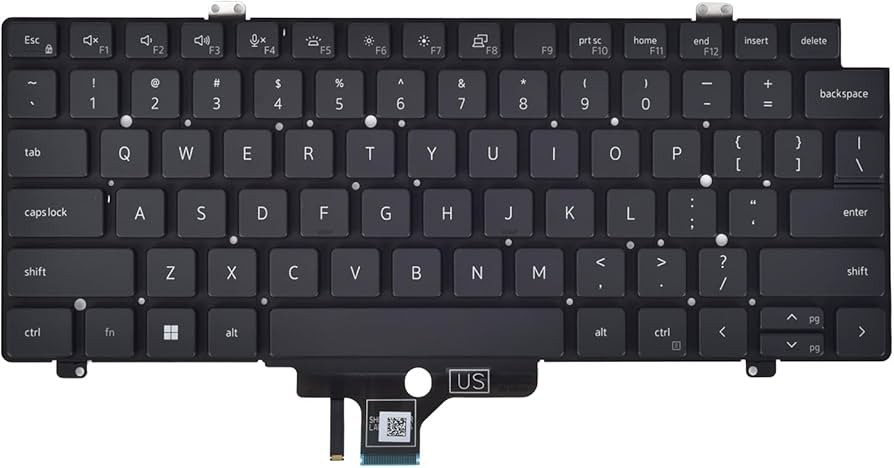
The Dell Latitude 5420 and 7420 are the kind of laptops people rarely talk about with excitement, and that’s exactly why remote workers love them. These machines are designed for corporate environments where stability, silence, and consistency matter more than flashy specs. In the UK refurb market, they’re among the safest bets for anyone who wants a laptop that simply does its job day after day.
One of the Latitude’s biggest strengths is thermal management. During long Teams calls, spreadsheet-heavy sessions, or browser heavy workflows, the laptop stays impressively quiet. Fans ramp up gradually rather than suddenly, and the chassis remains comfortable on the lap or desk. For people working in shared flats, quiet home offices, or late evenings, this alone makes a noticeable difference.
The keyboard and trackpad are solid and dependable. They don’t have the deep travel of a ThinkPad or the premium feel of an EliteBook, but they’re consistent and fatigue-free for long typing sessions. Accuracy is high, and the layout is practical, no awkward key placements that interrupt workflow.
Performance-wise, a Latitude with an Intel Core i5 (10th–11th gen) and 16GB RAM handles real-world remote work smoothly. Video calls, file syncing, large documents, CRM systems, and dozens of browser tabs run without slowdowns. Dell’s business-grade BIOS and firmware tuning also contribute to overall stability, which many users notice subconsciously, things just don’t randomly freeze or misbehave.
The webcam and microphones are reliable, if not outstanding. Video quality is clean enough for daily meetings, and the mic does a good job of isolating voice in normal home environments. Battery life typically sits in the 8–10 hour range, depending on screen brightness and workload.
Where Dell Latitudes really win is longevity and serviceability. Parts availability in the UK is excellent, repairs are straightforward, and these laptops are built to survive years of daily use.
Trade-offs?
Design is plain, and speakers are average. This is a productivity tool, not a media machine.
Best for:
Remote workers who value quiet operation, stability, and long-term dependability over style or flash.
Dell Inspiron 14 / 15 (2024–2025, New)
Best balanced new laptop for hybrid and home-based remote work
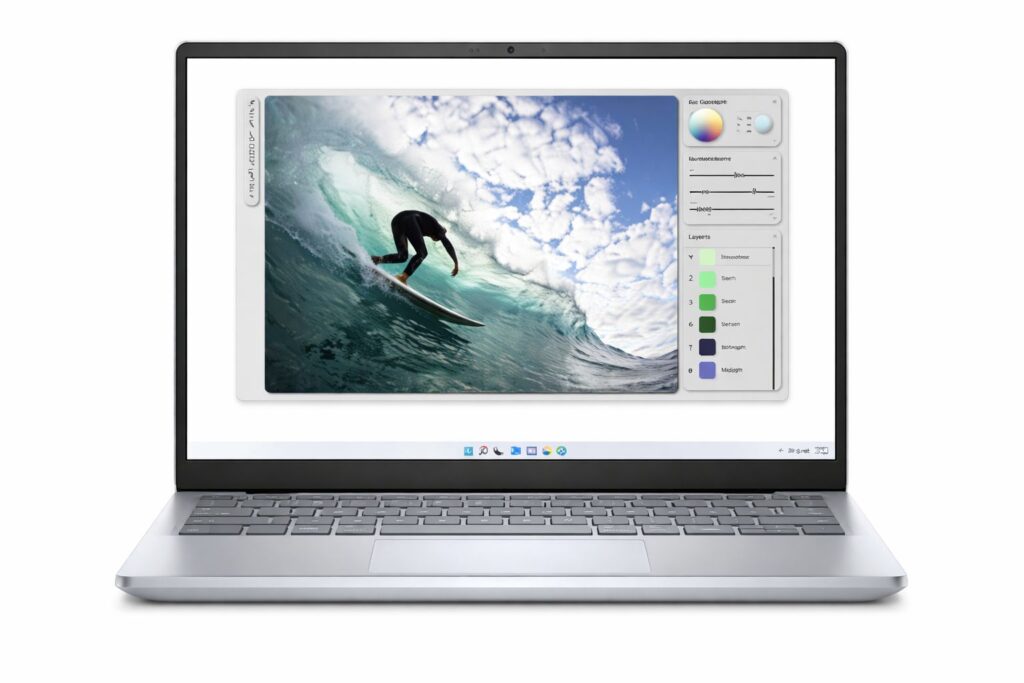
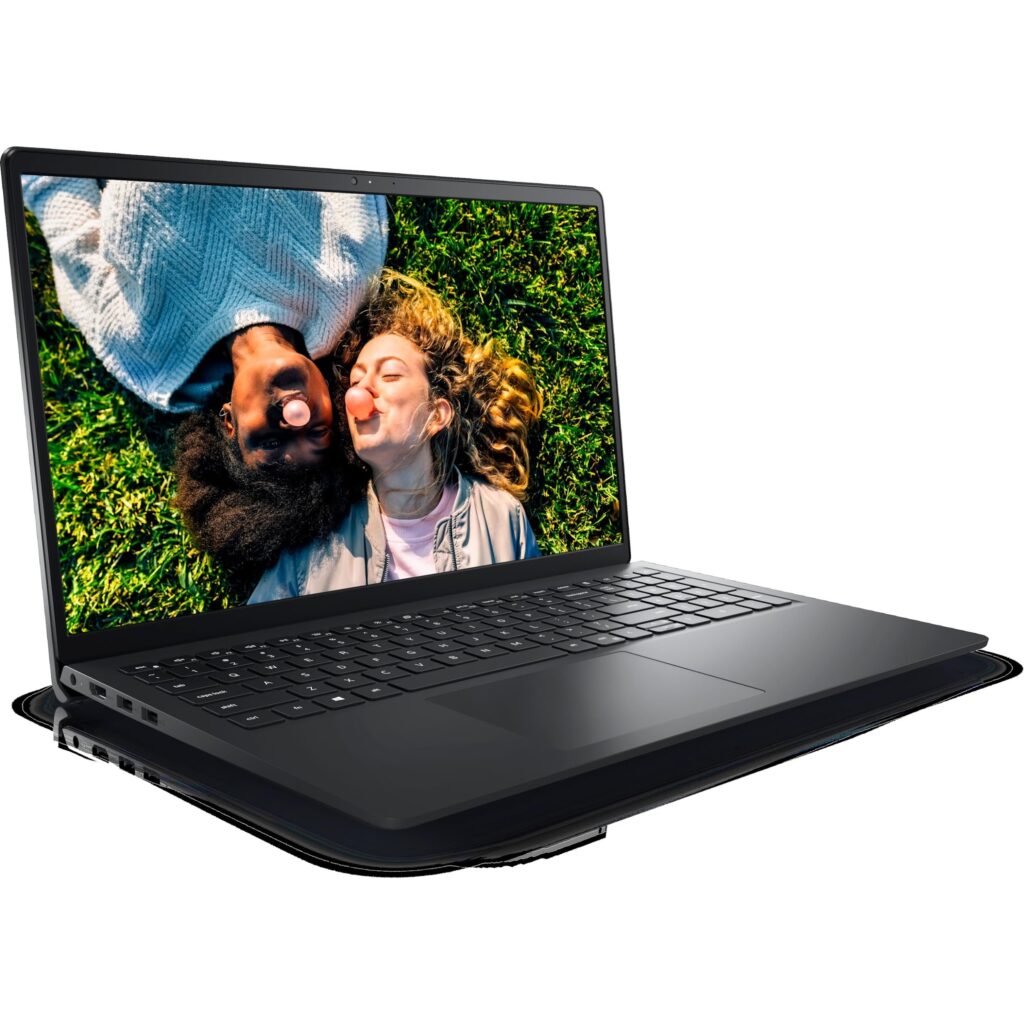
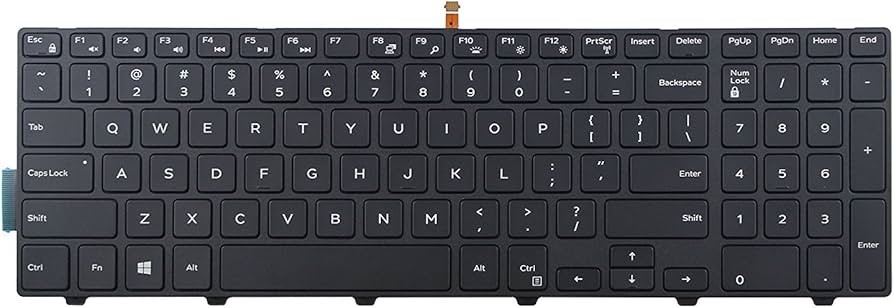
The Dell Inspiron 14 and 15 sit right in the middle of the budget laptop market, and that’s exactly their strength. They aren’t the toughest business machines like ThinkPads or Latitudes, and they don’t try to look ultra-premium, but they offer a well-rounded, dependable experience that suits a wide range of UK remote and hybrid workers.
For everyday use, the keyboard and trackpad are comfortable and predictable. Typing for long stretches feels natural, with decent key travel and spacing. It’s the kind of keyboard you stop thinking about after a few days, which is a good thing when you’re working full-time. The trackpad is responsive and accurate, making it easy to work without an external mouse.
Performance is solid with the right configuration. Models equipped with an Intel Core i5 and 16GB RAM handle video calls, spreadsheets, CRM systems, and heavy browser multitasking without complaint. Dell’s thermal tuning is sensible: fans ramp up gradually under load and rarely become distracting, which helps during long Teams meetings or quiet work sessions.
The display options are practical rather than flashy. Full HD IPS panels provide good clarity and viewing angles, making them suitable for split-screen work and document-heavy tasks. The 15-inch version is especially comfortable for multitasking at home, while the 14-inch model offers better portability for hybrid workers who move between home and office.
Battery life typically falls in the 7–9 hour range with mixed office use, enough for most workdays, though not class-leading. Build quality is decent for a consumer laptop, with sturdy hinges and a chassis that holds up well if treated reasonably.
Trade-offs?
Webcams are average, and the design is plain. This isn’t a laptop that excites — it’s one that quietly supports your work.
Best for:
Hybrid workers, home-office users, and anyone who wants a safe, balanced new laptop with good UK availability and support.
HP Pavilion 14 (2024–2025, New)
Best budget-friendly new laptop that’s still dependable for remote work
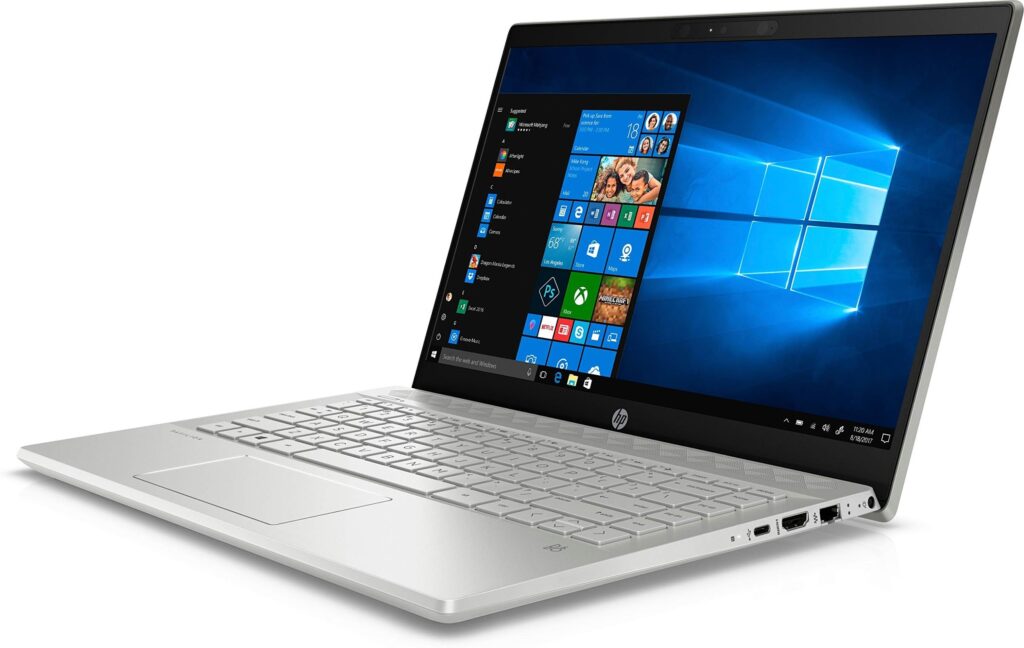
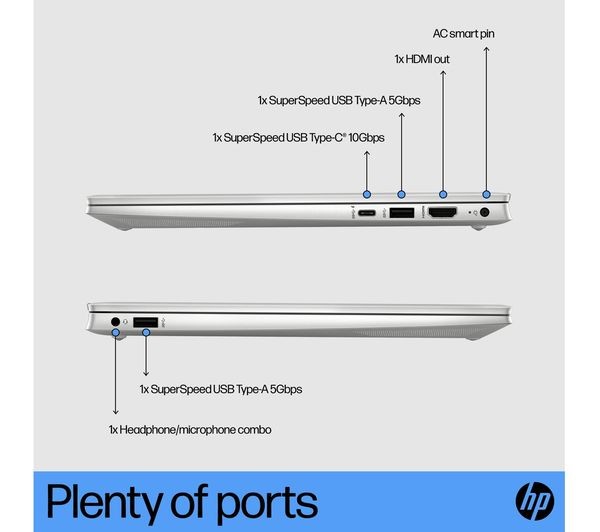
The HP Pavilion 14 is often where UK buyers land when budgets are tight but expectations are still realistic. It’s not a business-grade machine like an EliteBook, but among consumer laptops, it’s one of the more dependable choices for everyday remote work, provided you configure it sensibly.
The keyboard is comfortable enough for long typing sessions, with decent key spacing and a familiar layout. It’s not exceptional, but it doesn’t fight you either, which matters when your workday involves emails, reports, and documentation. The trackpad is responsive and accurate for general use.
With an Intel Core i5 and 16GB RAM, the Pavilion 14 handles the essentials well: Teams or Zoom calls, heavy browser usage, Office apps, and light multitasking all run smoothly. Thermals are acceptable; fans can become audible under sustained load, but they’re rarely disruptive for typical office workflows.
The 14-inch Full HD display is a good balance between portability and usability. It’s bright enough for indoor work and comfortable for split-screen tasks. Battery life usually falls in the 6–8 hour range in real-world use, enough for most home-based workdays with occasional top-ups.
Build quality is solid for the price. Hinges feel secure, and the laptop doesn’t feel flimsy, though it won’t tolerate abuse the way business laptops do.
Trade-offs?
Webcam quality is average, speakers are basic, and long-term durability isn’t on the same level as ThinkPads or EliteBooks.
Best for:
Budget-conscious remote workers who want a new Windows laptop that’s reliable enough for daily work without pushing the price too high.
HP Chromebook Plus 15.6 (New)
Best browser-first laptop for remote work with excellent battery life
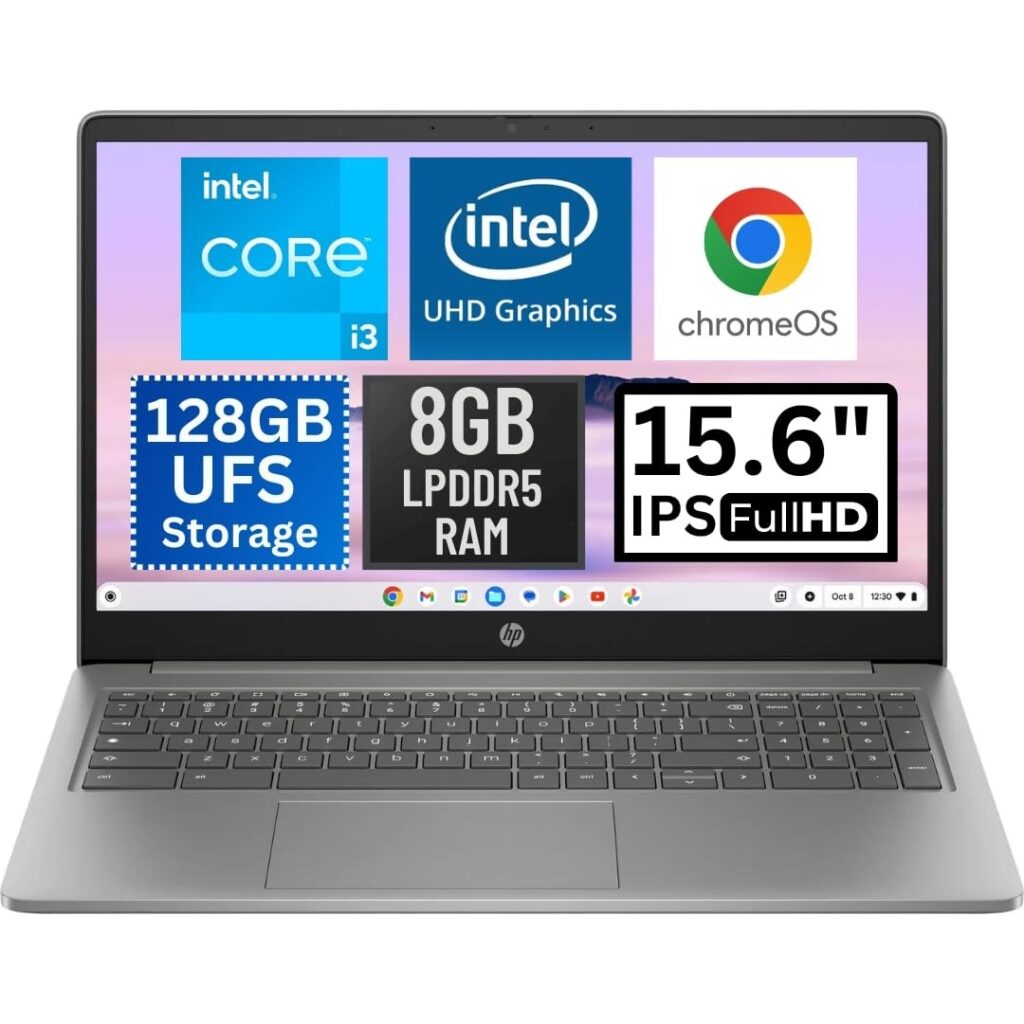
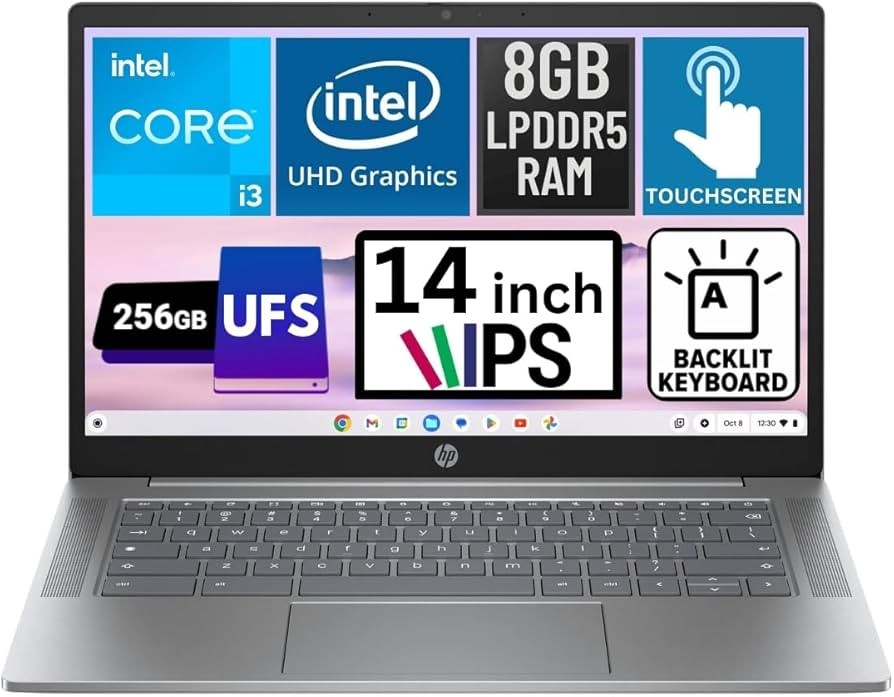
For remote workers whose entire workflow lives in the browser, the HP Chromebook Plus 15.6 is one of the most satisfying budget options available in the UK. ChromeOS is lightweight, fast, and surprisingly stress-free, especially for people who rely on Google Workspace, web-based tools, and cloud platforms.
Performance feels snappy even with multiple tabs, video calls, and document editing running simultaneously. The keyboard is comfortable for long typing sessions, and the large screen makes multitasking far easier than on smaller Chromebooks. Battery life is a major strength, often reaching 10–12 hours of real use.
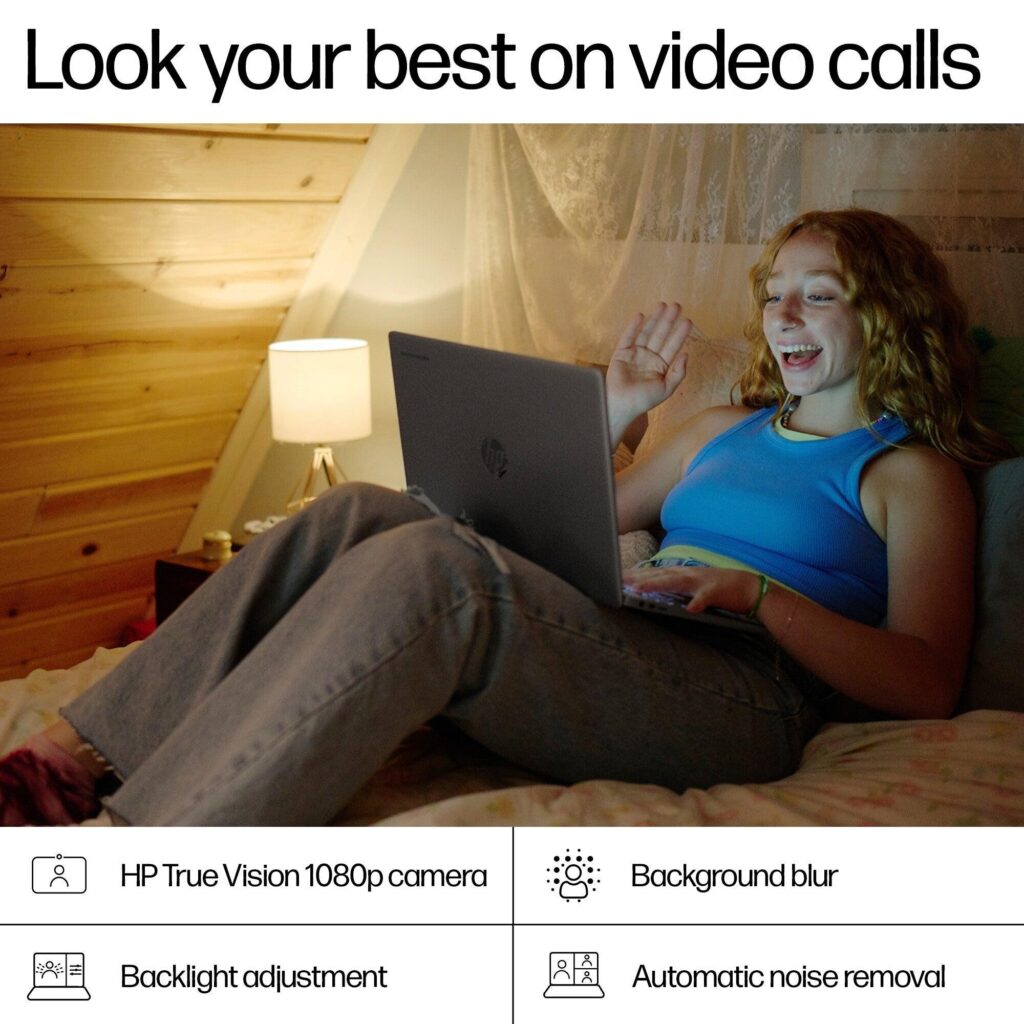
The 1080p webcam and microphones are better than many Windows laptops at this price, making it excellent for frequent Zoom or Teams calls.
Trade-offs?
You’re limited to web apps and Android apps. If you need full Windows software, this isn’t for you.
Best for:
Remote workers who live in the browser and want speed, simplicity, and long battery life.
Acer Chromebook Plus 514 (New)
Best low-risk, cloud-only laptop when reliability matters more than flexibility
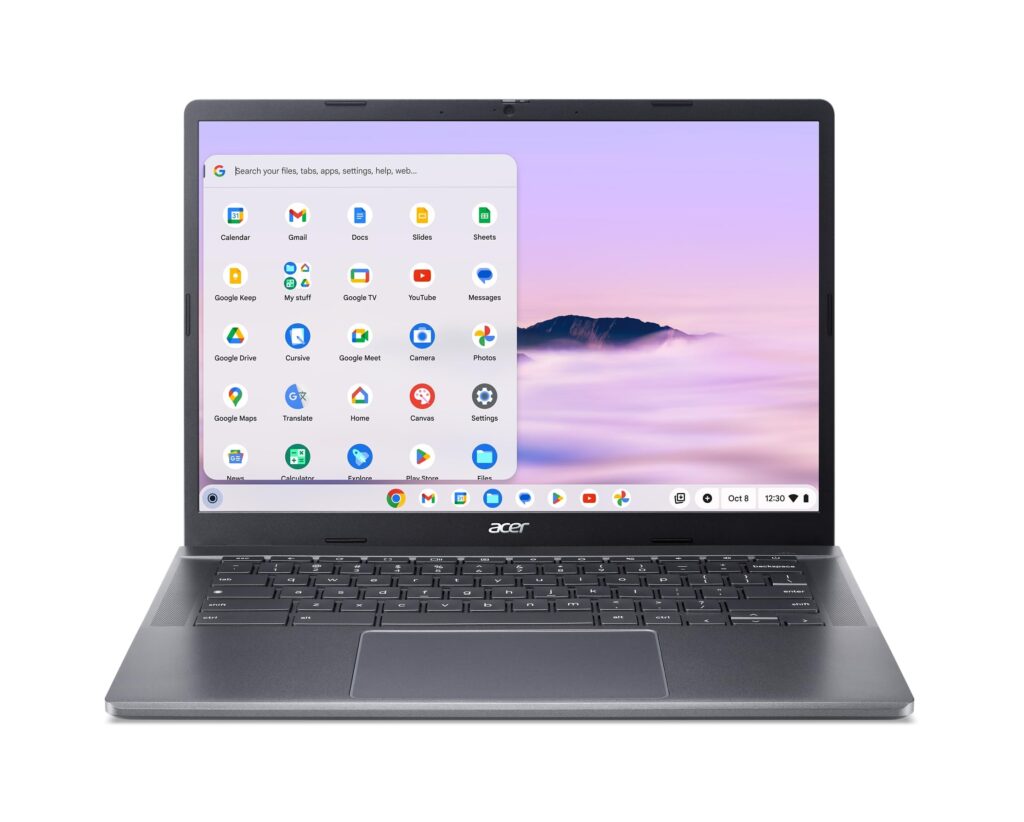
It’s important to be very clear about something upfront: Acer’s reputation for long-term reliability is weak in the Windows laptop space, especially for budget models. Hinges, thermals, and overall durability are common complaints among long-term users. However, the Chromebook Plus 514 is a rare exception, and the reason lies less in the hardware and more in the operating system.
ChromeOS fundamentally changes the equation. It’s lightweight, tightly controlled, and far less demanding on hardware than Windows. As a result, the Chromebook Plus 514 avoids many of the stress points that cause budget Windows laptops to age badly. Fans stay quiet, heat stays low, and performance remains consistent even after months of daily use.
For remote workers whose entire workflow lives in the browser, Google Workspace, web-based CRMs, Slack, Zoom, Notion, cloud dashboards, this laptop feels fast, calm, and dependable. The system boots quickly, resumes instantly, and doesn’t degrade over time the way low-end Windows machines often do.
The keyboard is better than expected, with comfortable spacing and a neutral typing feel that works well for long writing or admin sessions. The 1080p webcam and microphones are genuinely strong at this price point, making it well-suited to daily video calls, an area where many budget laptops still fall short.
Battery life is another highlight, often reaching 10–12 hours of real-world use, which is ideal for full workdays without constantly thinking about charging.
That said, this is not a universal recommendation. ChromeOS is a hard limitation, not a soft one. If your job requires Windows-only software, local installs, or complex file workflows, this laptop will frustrate you no matter how reliable it is.
Trade-offs?
Basic build materials, limited ports, and zero flexibility outside browser-based work.
Best for:
Remote workers who are fully cloud-based and want the lowest-risk, lowest-maintenance laptop that stays fast, quiet, and reliable over time, without paying for power they don’t need.
Buying Mistakes UK Remote Workers Commonly Make (And How to Avoid Them)
Buying a laptop for remote work often feels straightforward, until a few months pass and the cracks begin to show. Most regrets don’t come from buying the “wrong brand,” but from buying the wrong type of laptop for how remote work actually feels day to day. Below are the most common mistakes UK remote workers make — and how to avoid them.
1. Prioritising specs over reliability
Many buyers chase higher CPU numbers or flashy marketing labels, assuming performance equals longevity. In reality, remote work is repetitive and sustained, hours of video calls, typing, multitasking, and heat buildup. Budget laptops with impressive specs but weak build quality often deteriorate quickly: loose hinges, failing keyboards, noisy fans.
Avoid this by:
Choosing business-grade designs or well-reviewed, reliability-focused consumer lines. A slightly older ThinkPad or EliteBook will outlast most “new but flashy” budget laptops.
2. Settling for 8GB RAM in 2025
This is one of the biggest regrets reported by UK buyers. Eight gigabytes may seem “fine” at checkout, but remote work loads memory heavily, Chrome tabs, Teams, Slack, cloud sync, PDFs, spreadsheets, and background services add up fast.
Avoid this by:
Treating 16GB RAM as the real minimum for comfortable remote work. It’s the difference between a laptop that feels smooth for years and one that slows down within months.
3. Ignoring keyboard comfort
People underestimate how much they type. Remote work often means more typing than office work, not less. Cheap keyboards cause fatigue, mistakes, and frustration over time.
Avoid this by:
Reading real user feedback about typing comfort. Business laptops (ThinkPad, EliteBook, Latitude) excel here for a reason, they’re built for all-day typing.
4. Underestimating webcam and microphone quality
A grainy webcam or weak mic becomes painfully obvious when you’re on daily Zoom or Teams calls. Many budget laptops still ship with poor 720p cameras and basic microphones.
Avoid this by:
Checking whether the laptop has a 1080p webcam or strong mic array, especially if meetings are a core part of your role. It saves you from immediately buying external accessories.
5. Buying ultra-thin designs for desk-based work
Ultra-thin laptops look great in photos but often sacrifice thermals, ports, and sustained performance. Remote workers usually sit at desks, not cafés.
Avoid this by:
Choosing slightly thicker, better-cooled laptops with proper ventilation and ports. Quiet, stable performance beats thinness when you work eight hours a day.
6. Assuming “new” is better than “refurbished”
Many UK buyers avoid refurbished laptops out of fear, yet business-grade refurbished machines are often far more reliable than brand-new budget consumer laptops.
Avoid this by:
Buying refurbished only from reputable UK sellers and focusing on ex-business models. These laptops were designed to survive corporate use and it shows.
7. Not thinking about long-term support
Some laptops are cheap because they are disposable. Limited parts availability, poor repairability, and short support lifespans turn small savings into long-term headaches.
Avoid this by:
Choosing brands with strong UK parts availability and repair ecosystems (Lenovo, Dell, HP business lines).
Bottom line
The biggest mistake isn’t spending too little, it’s spending unwisely.
A reliable remote-work laptop should fade into the background, not demand attention.
Final Verdict: The Best Powerful & Reliable Budget Laptops for Remote Work in the UK (2025)
If there’s one takeaway from this guide, it’s this: the best remote-work laptop isn’t the one with the flashiest specs — it’s the one you stop thinking about once the workday begins. Reliability, comfort, and consistency matter far more than marketing labels or short-term benchmarks.
After comparing performance, build quality, long-term reliability, and real user experience, a few choices clearly rise above the rest.
Best Overall Choice (Reliability First): Lenovo ThinkPad T14
If your laptop is central to your income, the ThinkPad T14 is the safest bet. It delivers the best combination of durability, typing comfort, quiet performance, and long term dependability. For remote workers who spend all day on calls, documents, and multitasking, this is the machine most likely to still feel solid years down the line.
Best Premium Feel on a Budget: HP EliteBook 840
The EliteBook 840 offers business-grade reliability with a lighter, more refined design. It’s ideal for professionals who want something sturdy but more elegant, especially if video calls and typing dominate their workload.
Best Quiet Multitasker: Dell Latitude 5420 / 7420
If silence and stability matter, the Latitude range excels. It’s not flashy, but it’s calm, predictable, and well-balanced, perfect for long, uninterrupted workdays in home offices or shared spaces.
Best New Laptop (No Refurb): ASUS VivoBook 15 / 16
For buyers who want brand-new hardware without sacrificing reliability, the VivoBook range is the strongest option. It balances performance, screen space, and sensible thermals better than most budget consumer laptops.
Best Balanced New Option: Dell Inspiron 14 / 15
If you want a safe, mainstream choice with good UK support and availability, Inspiron models remain a dependable middle ground for hybrid workers.
Best Budget New Pick: HP Pavilion 14
When budgets are tighter, the Pavilion 14 offers acceptable performance and comfort for everyday remote work — as long as expectations remain realistic.
Best Browser-Only Work Laptop: HP Chromebook Plus 15.6
For fully cloud-based workflows, this Chromebook delivers speed, simplicity, and exceptional battery life with minimal maintenance.
Frequently Asked Questions: Best Budget Laptops for Remote Work (UK, 2025)
1. What is the best budget laptop for remote work in the UK?
The best budget laptop for remote work in the UK depends on reliability as much as performance. For most people, refurbished business laptops like the Lenovo ThinkPad T14, HP EliteBook 840, or Dell Latitude offer the best value. They are built for all-day work, have better keyboards and cooling, and last longer than most new consumer laptops in the same price range.
2. How much should I spend on a reliable laptop for working from home?
In 2025, a realistic budget for a reliable remote-work laptop in the UK is £500–£800. Below £500, compromises usually appear in build quality, RAM, or longevity. Spending within this range allows you to get a laptop with 16GB RAM, an SSD, and solid reliability, which is essential for daily remote work.
3. Is a refurbished laptop safe to buy for remote work?
Yes, when bought from a reputable UK refurbisher, refurbished business laptops are often more reliable than new budget laptops. Models like ThinkPads, EliteBooks, and Latitudes were designed for corporate use and typically last many years. The key is choosing Grade A or professionally refurbished units with a warranty.
4. Is 8GB RAM enough for remote work in 2025?
For light use, 8GB RAM can still work, but for smooth remote work — especially with Teams, Zoom, Slack, multiple browser tabs, and documents, 16GB RAM is strongly recommended. Many UK remote workers report slowdowns and frustration with 8GB systems after a few months of daily use.
5. Are Chromebooks good for working from home?
Chromebooks are excellent for remote work if your job is fully browser-based. They work best with Google Workspace, web apps, cloud dashboards, and video calls. However, they are not suitable if you need Windows-only software, local installations, or specialised tools.
6. Which laptop brands are most reliable for remote work?
For long term reliability, Lenovo (ThinkPad series), HP (EliteBook/ProBook), and Dell (Latitude) are consistently the most trusted brands among remote workers and IT professionals. These business-class laptops are designed for sustained daily use and tend to outlast consumer focused budget models.